Together we look at how you present yourself, clear up open questions and discuss what comes next. So that your ideas turn into something that fits you.
Everything here responds; nothing here is live data.
Good afternoon, Mara Vogt
Conversations
Book a call with us when you need one. One meeting at a time.
Your next meeting
Times are shown in Swiss time (Europe/Zurich).
Fri, 9 Oct 2026, 14:00, 30 minutes
What you want to cover
The staging preview of the homepage, and the German pricing page.
Book a meeting
Pick a time that suits you. Your name and email are filled in; tell us in a sentence what you would like to cover. You will get a confirmation with the link to join.
Past meetings
Your last meetings with us, most recent first.
Tue, 6 Oct 2026, 10:00Build review: the homepage, and what the staging preview should show.held
Thu, 1 Oct 2026, 15:00The design system draft: type, colours and the components.held
Tue, 29 Sept 2026, 15:00The design system draft: type, colours and the components.moved to Thu, 1 Oct 2026, 15:00
Fri, 25 Sept 2026, 16:00cancelled
Wed, 23 Sept 2026, 09:30Discovery workshop: audiences, pages and tone.held
Tue, 22 Sept 2026, 10:00Kick-off: goals, scope and the first phase.held
Legend
What the Meetings page shows
The numbers on the demonstration above refer to the entries below. Each entry links back to its place on the dashboard.
1
Your next meeting
The meeting you have booked: its day and time in Swiss time, how long it lasts, and what you want to cover, in your own words from the booking. Reschedule moves it to another time and Cancel calls it off; the Meetings tab shows its day as well. On the dashboard the calendar waits while a meeting is booked, one meeting at a time; the demonstration shows both.
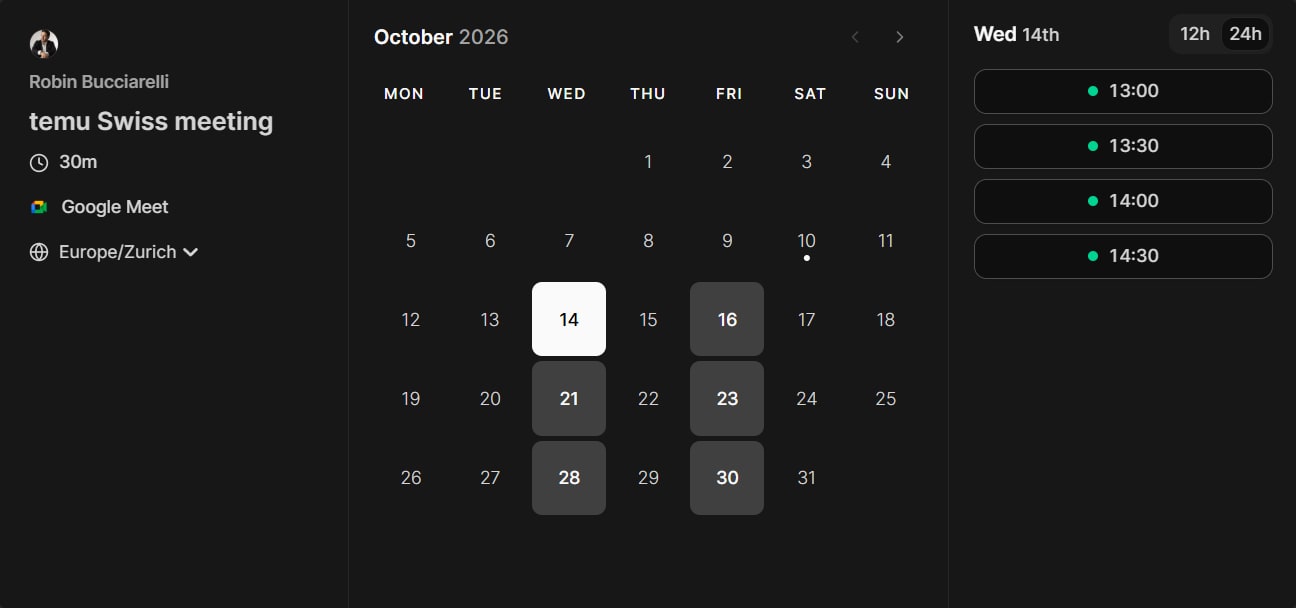
The calendar for booking a call with Temu, by Cal.com: 30 minutes on Google Meet, in Swiss time. The days with free times are marked; choose one, then a time, and say in a sentence what you would like to cover. Your name and email are already filled in, and the confirmation brings the link to join. Here the calendar is a picture; on the dashboard you book in it directly.
Your meetings with Temu that lie behind you, most recent first, up to ten: each with its day and time, its topic, and whether it was held, cancelled or moved, here the design system draft from 29 September to 1 October.